> ## Documentation Index
> Fetch the complete documentation index at: https://help.gmax.ai/llms.txt
> Use this file to discover all available pages before exploring further.

# Add a new slice at the beginning, end, or a specified position

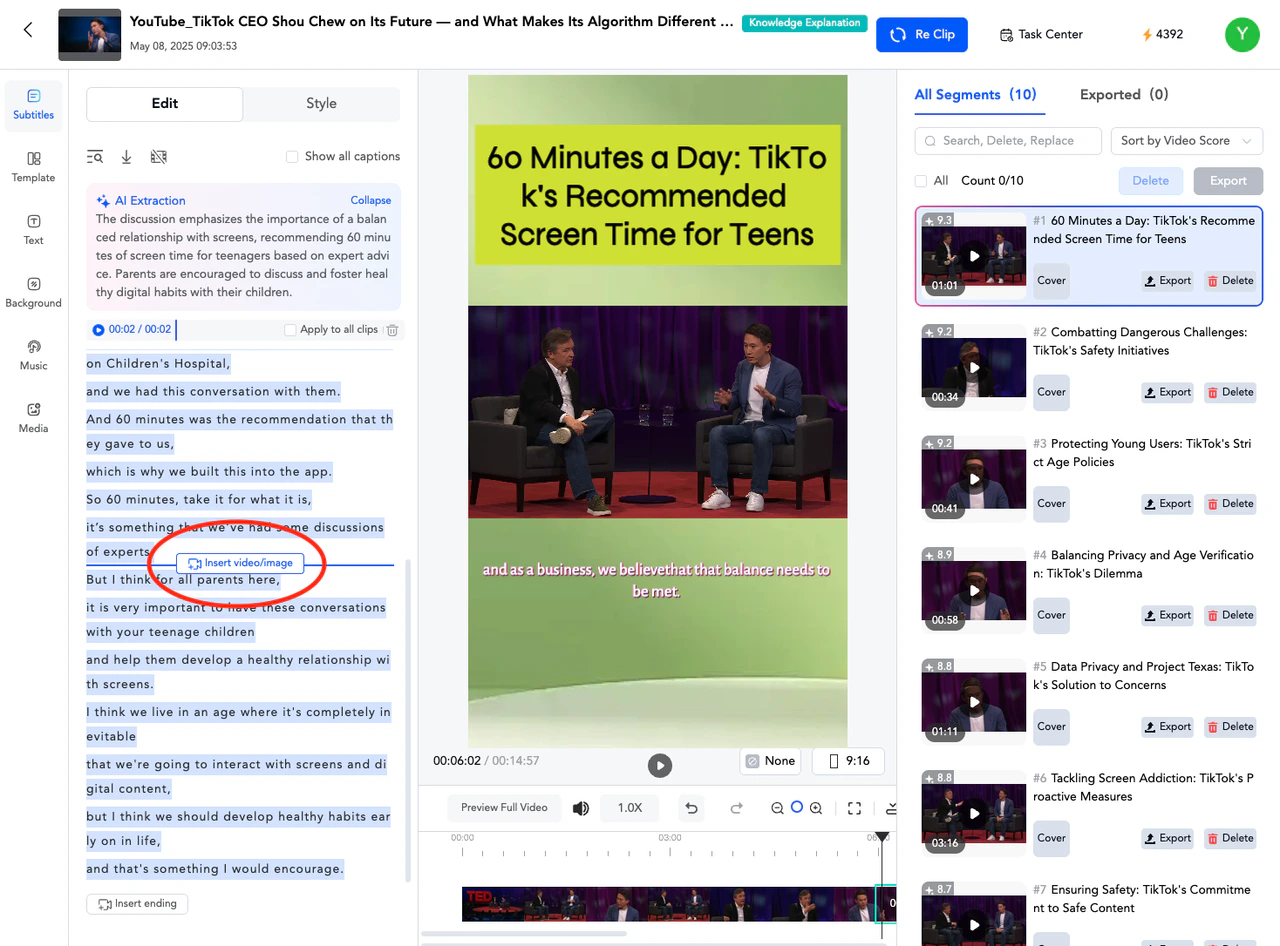
In the left subtitle area, move the mouse up, and then click "Insert video/image".
<img src="https://mintcdn.com/gmax-fe48c425/LhX8OJ6msZWWD1oJ/editor/images/2.png?fit=max&auto=format&n=LhX8OJ6msZWWD1oJ&q=85&s=140e53045943a01668339ad09370acb7" alt="image" width="1280" height="946" data-path="editor/images/2.png" />

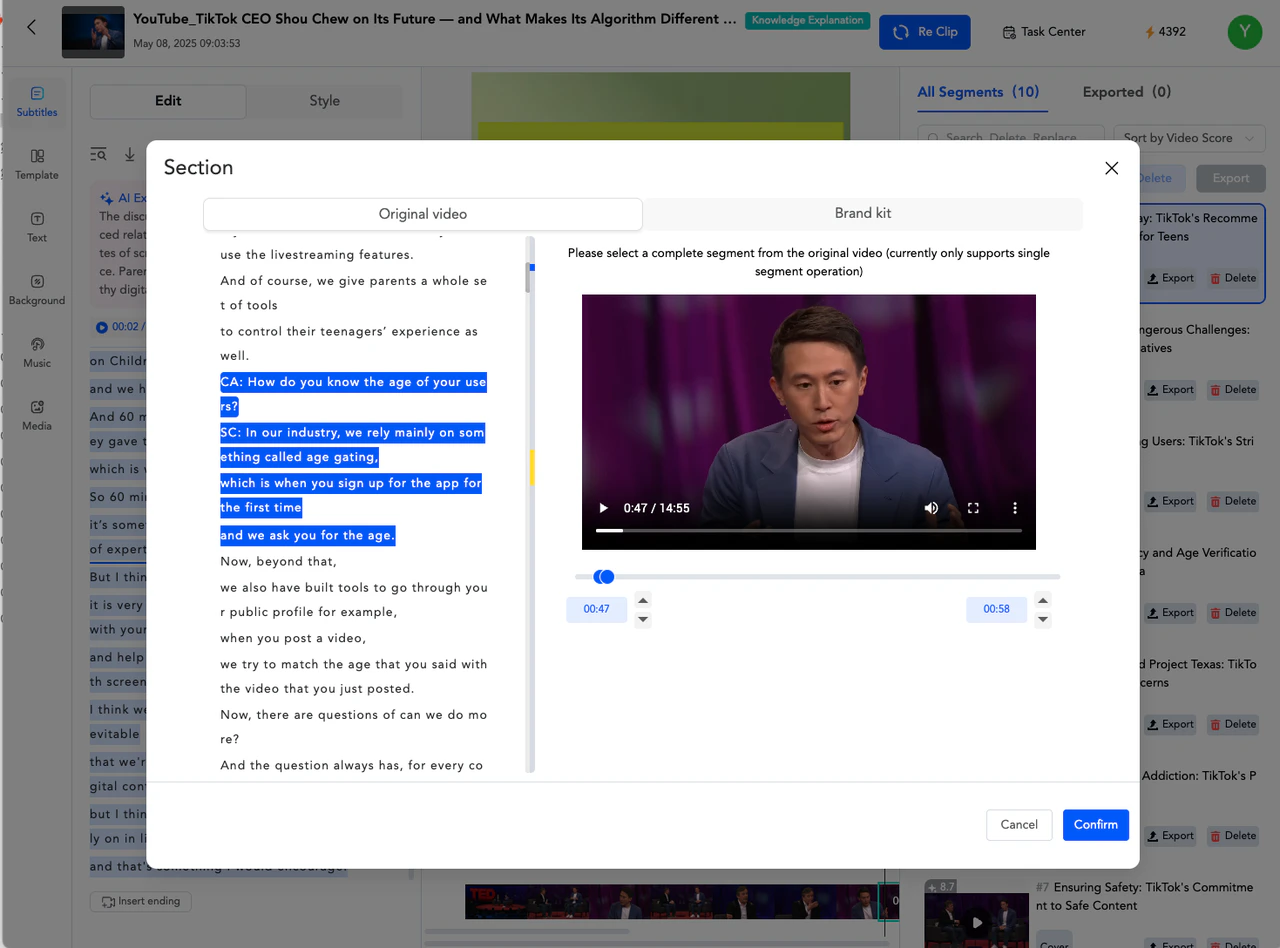
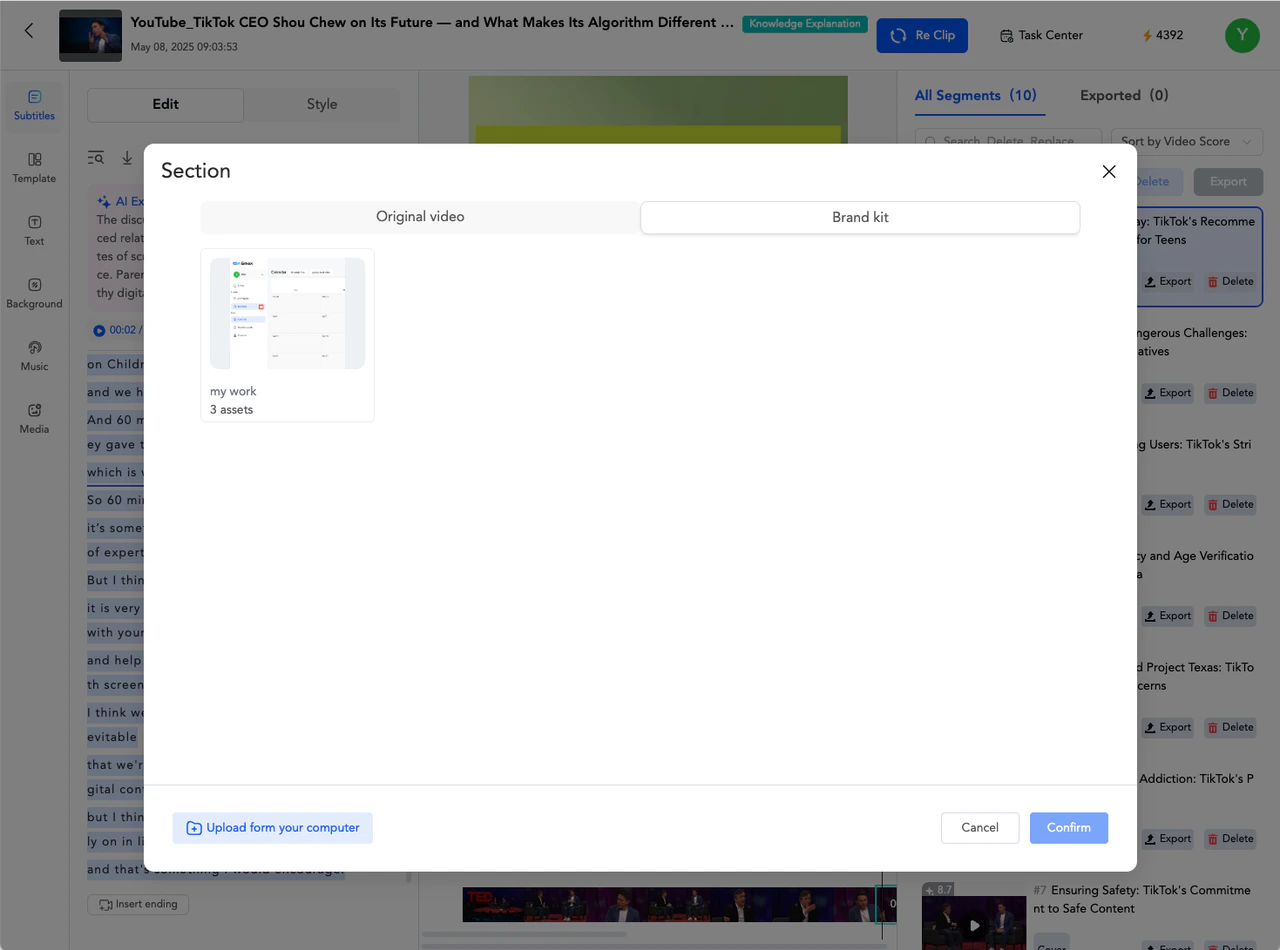
Select the desired clip in the Original video or select the specified material in the Brand kit to add.
<img src="https://mintcdn.com/gmax-fe48c425/LhX8OJ6msZWWD1oJ/editor/images/3.png?fit=max&auto=format&n=LhX8OJ6msZWWD1oJ&q=85&s=1b3d0f4538f1134dd352a920ec593472" alt="image" width="1280" height="948" data-path="editor/images/3.png" />

<img src="https://mintcdn.com/gmax-fe48c425/LhX8OJ6msZWWD1oJ/editor/images/4.png?fit=max&auto=format&n=LhX8OJ6msZWWD1oJ&q=85&s=445abaabe587564da5e95c955b51f79a" alt="image" width="1280" height="950" data-path="editor/images/4.png" />
