> ## Documentation Index
> Fetch the complete documentation index at: https://help.gmax.ai/llms.txt
> Use this file to discover all available pages before exploring further.

# How can I change or cancel my subscription?

> Step by step guide to change or cancel your subscription

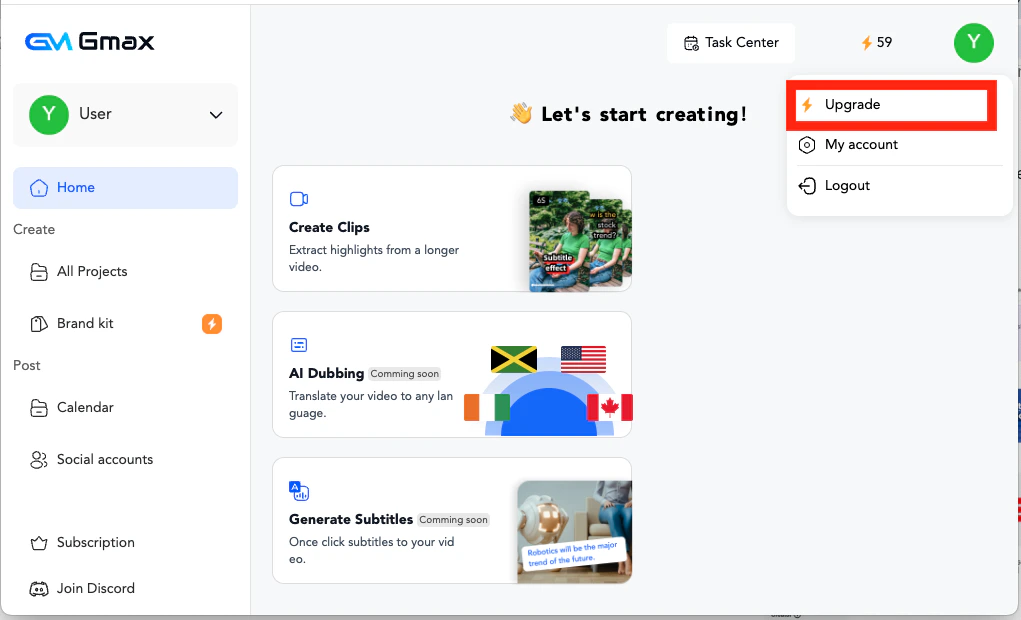
1. Click on "upgrade" in the profile or the workspace page at the bottom left corner
   <img src="https://mintcdn.com/gmax-fe48c425/LhX8OJ6msZWWD1oJ/images/subscriptions/1.png?fit=max&auto=format&n=LhX8OJ6msZWWD1oJ&q=85&s=46b7385e35117cad5dbeb31e53564ee4" alt="image" width="1021" height="620" data-path="images/subscriptions/1.png" />
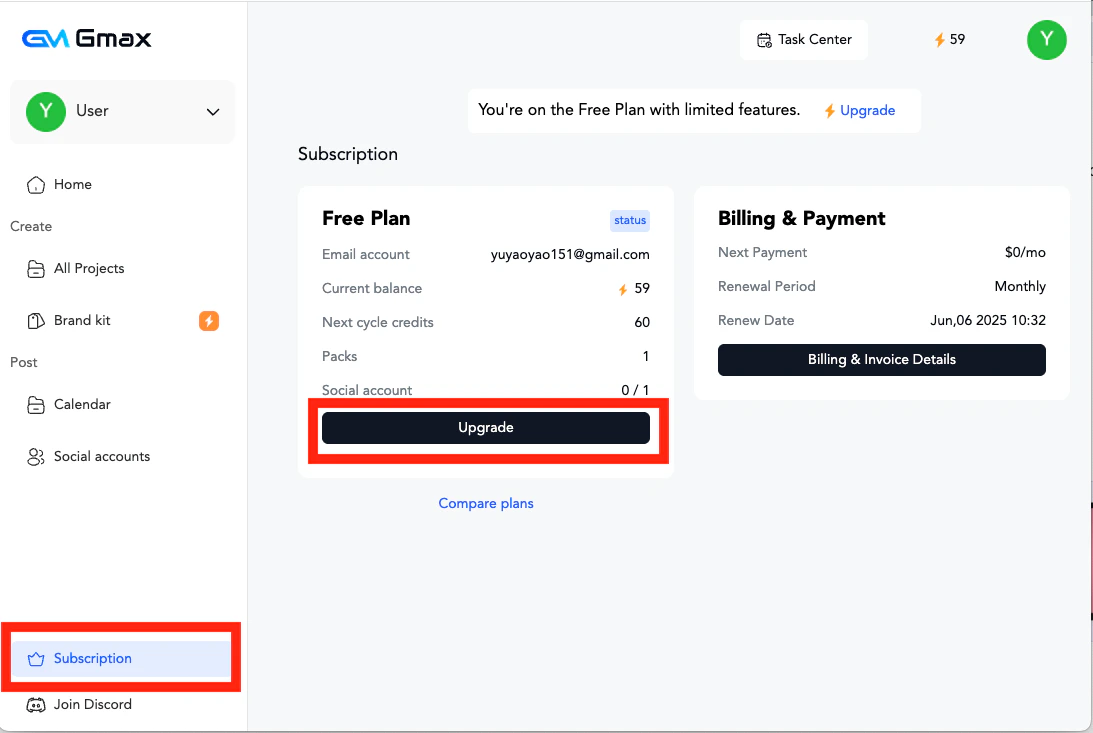
2. Click "Upgrade" on the subscription page.
   <img src="https://mintcdn.com/gmax-fe48c425/LhX8OJ6msZWWD1oJ/images/subscriptions/2.png?fit=max&auto=format&n=LhX8OJ6msZWWD1oJ&q=85&s=4f8924fbbd915ce3b9bb9caf2047e1b1" alt="image" width="1093" height="733" data-path="images/subscriptions/2.png" />
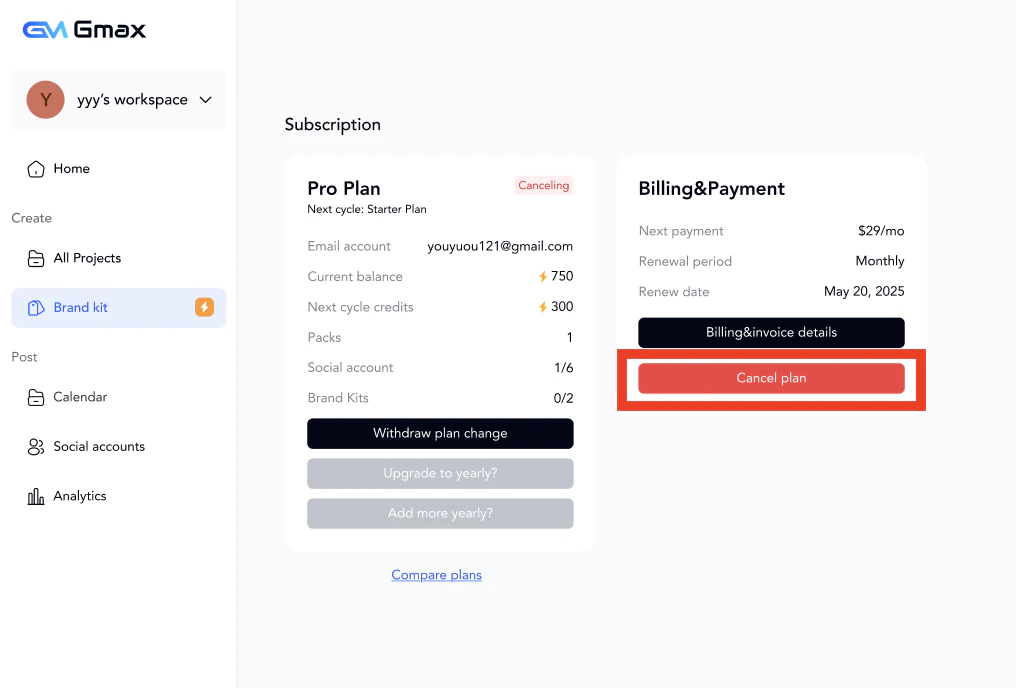
3. To cancel the subscription, also click "Cancel plan" on the subscription page.
   <img src="https://mintcdn.com/gmax-fe48c425/LhX8OJ6msZWWD1oJ/images/subscriptions/3.png?fit=max&auto=format&n=LhX8OJ6msZWWD1oJ&q=85&s=a9a02cdc5ea97fecf75c5d2db2052c26" alt="image" width="1016" height="688" data-path="images/subscriptions/3.png" />
