Video Cliping Product User Manual home page
Search...
⌘K
Help & Support
Search...
Navigation
Editor
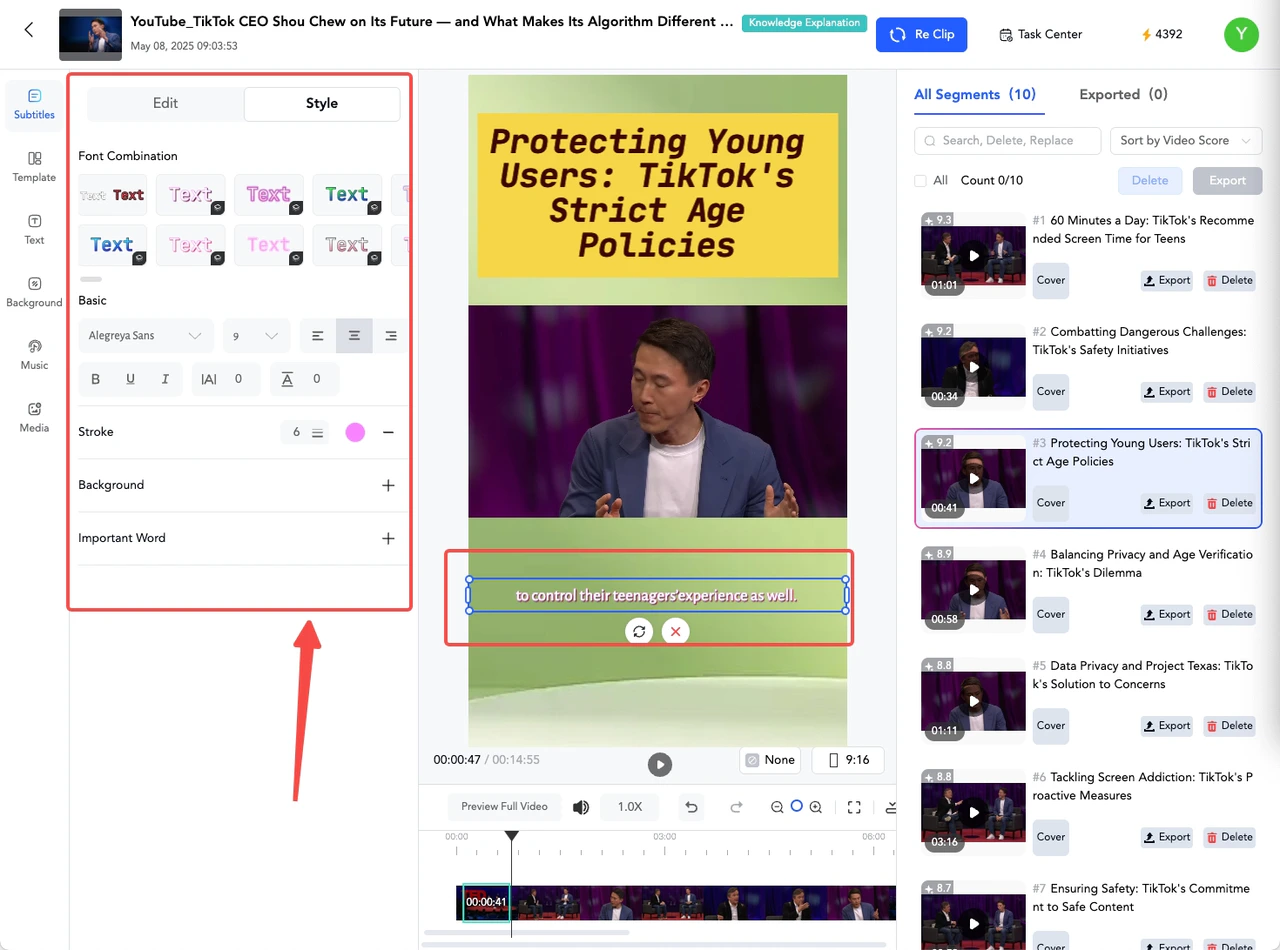
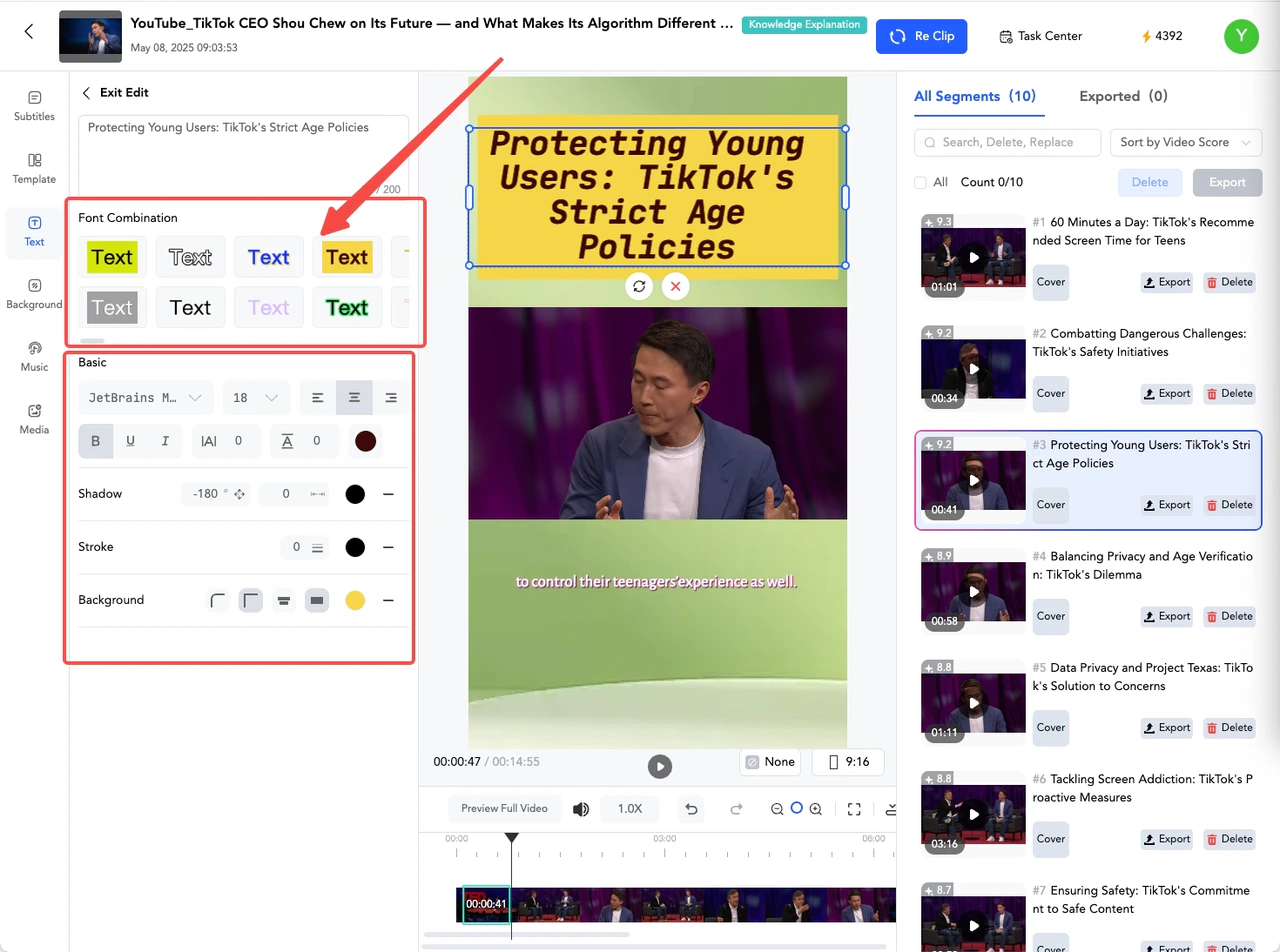
Change the style of the title/subtitle
Help Center
Getting Started
General FAQ
Subscriptions
How do the pricing plans work?
How can I change or cancel my subscription?
What does the free plan of Gmax offer?
Does Gmax support a one-month subscription?
How can you upgrade or downgrade your plan?
Projects
Upload
Export
Editor
How to Enter the editing page
Delete the unwanted parts of the slice
Add a new slice at the beginning, end, or a specified position
Modify the title content
Modify the subtitle content
Change the style of the title/subtitle
Change the background color of the video
Add custom materials
Add a music background
Reclip
Publish
How to Connect Your Social Media Accounts
How to Schedule Using the Calendar
Account
Why can't I sign up?
How to Change the Email
Editor
Change the style of the title/subtitle
First, click on the title content in the middle of the canvas area, and then select the desired style effect in the [Text] editing panel on the left.
Modify the subtitle content
Change the background color of the video
⌘I