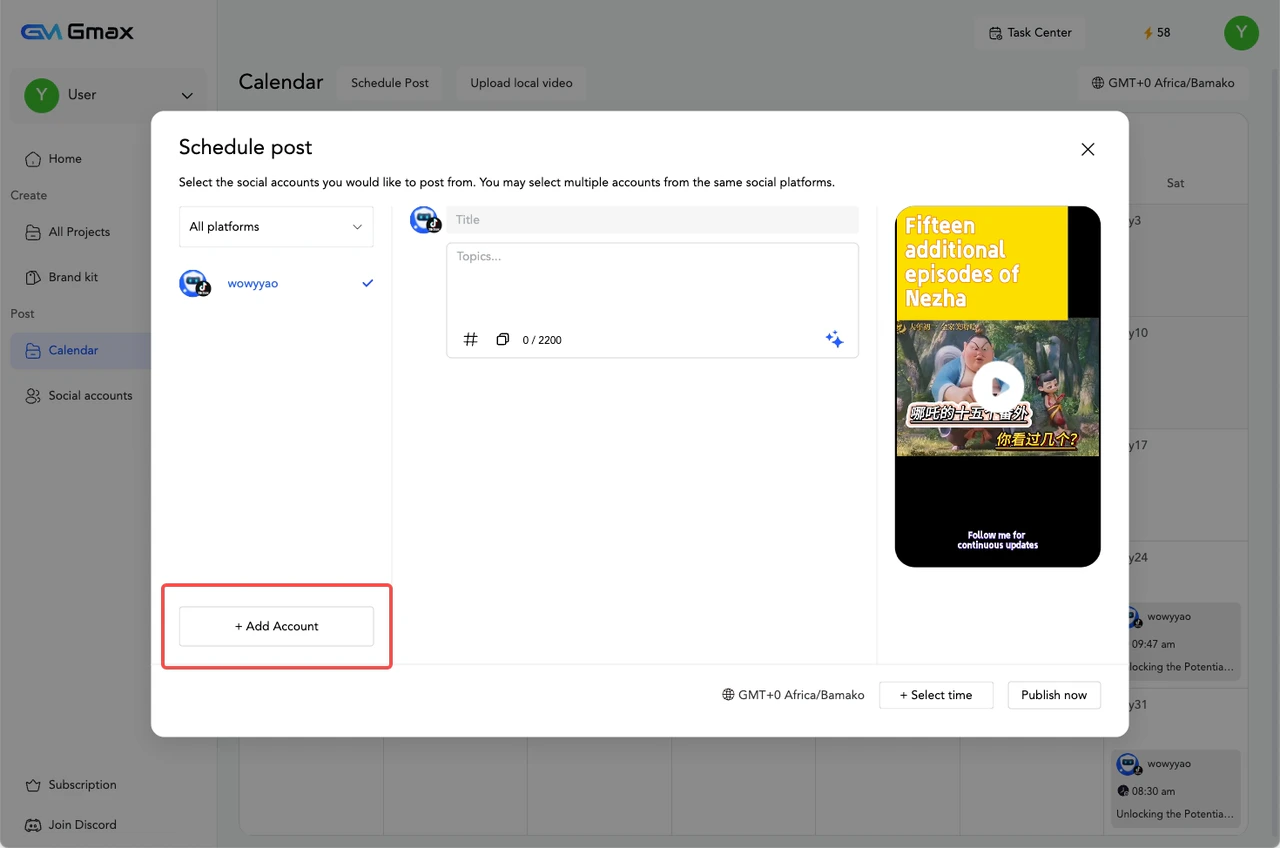
Use our calendar feature to easily schedule your clips. Here’s how:
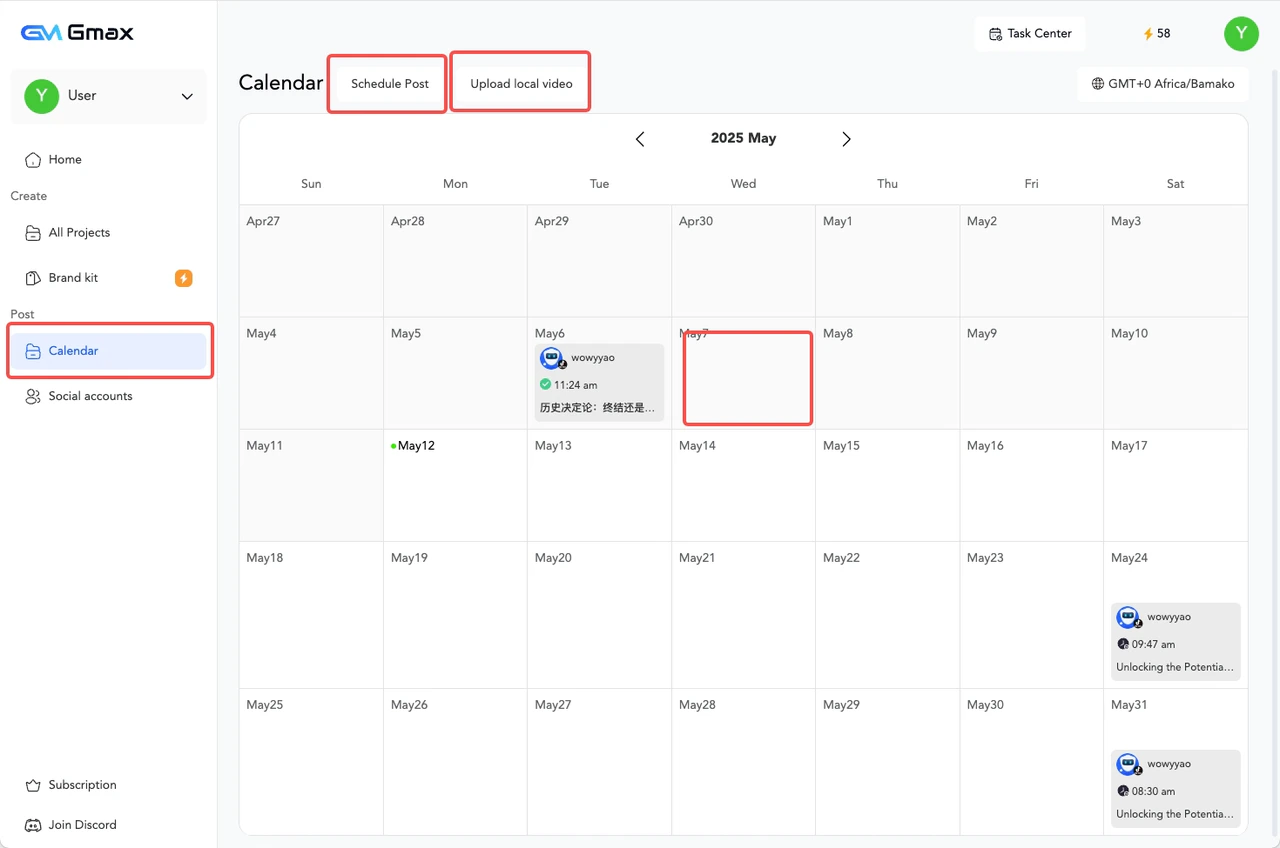
- Navigate to the “Calendar” tab in the left sidebar.
- Click “New Post” or find a suitable time slot on the calendar. You can also click the ”+” button in the month/week view.
- Select the exported video you want to schedule.
- Choose the social media accounts where you want to publish the short video/clip. You can select multiple accounts at once for cross-platform publishing.
- If you want to add a new account, click “Manage Accounts” and connect to the social media platform you want to publish to.